

랜드마크 3D 디오라마 연출
국가별 상징 건축물과 문화적 요소를 45도 탑다운 뷰 3D 미니어처 스타일로 이미지 생성
- 추천 툴
- MidjourneyAI 분류
- 쓰인 기법
- 프롬프트 변수 활용 · 시점 및 재질 지정
프롬프트 원문
Create an isometric miniature 3D diorama representing the iconic architecture of ${country_name} through ${famous_structure}. Use a 45° top-down view.

Apply clean soft textures and realistic PBR materials.
Lighting feels balanced and natural. The raised base includes nearby streets, landscape features, and cultural details linked to the structure. Add tiny stylized locals and visitors with heavy facial details.

Background stays solid ${background_color}. Top center text shows ${country_name} in bold. Second line shows ${structure_name}. Place a minimal architecture icon below. Text color adjusts for contrast.
한국어 풀이 보기(참고용)
isometric miniature 3D diorama representing the iconic architecture of [South Korea] through [N Seoul Tower]. Use a 45° top-down view.

Apply clean soft textures and realistic PBR materials.
Lighting feels balanced and natural. The raised base includes nearby streets, landscape features, and cultural details linked to the structure. Add tiny stylized locals and visitors with heavy facial details.

Background stays solid [soft gray]. Top center text shows [South Korea] in bold. Second line shows [N Seoul Tower]. Place a minimal architecture icon below. Text color adjusts for contrast.
- 활용변수 위치에 원하는 국가 이름과 건축물 이름을 넣어 다국적 관광/아키텍처 아트를 제작하세요.
- 활용미드저니 텍스트 렌더링 기능을 위해 v6 이상의 버전에서 실행하는 것을 권장합니다.
출처 · prompts.chat · National Architecture Dioramas — 원문은 출처에 게시된 그대로이며, 권리는 원작자에게 있습니다.
원작 결과 이미지
원문 작성자(Semih Kışlar)가 prompts.chat 에 올린 결과입니다. 원본 주소에서 표시됩니다.
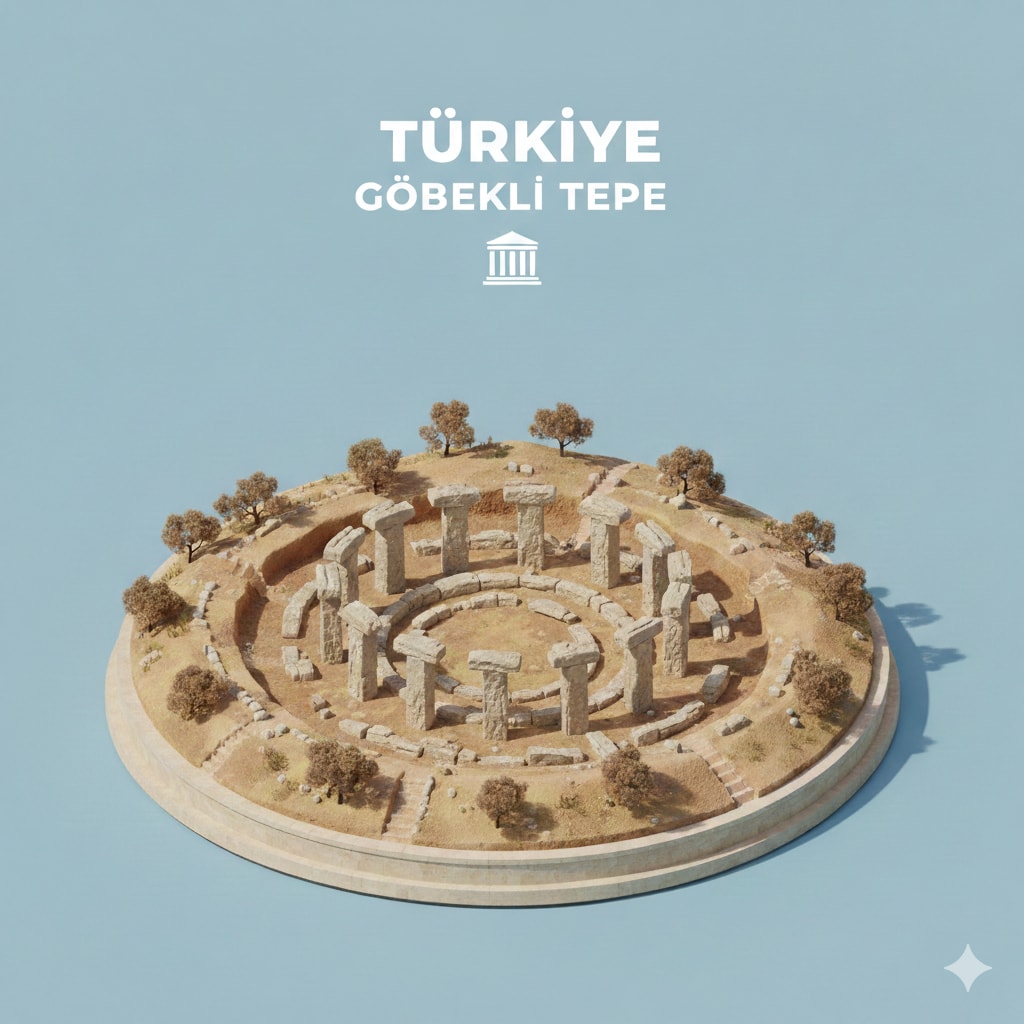
hotpick 개선안
원문을 더 잘 동작하게 고쳐 쓴 프롬프트
원문을 그대로 넣으면 AI 가 매번 다르게 답하거나 중요한 부분을 빠뜨릴 수 있습니다. 개선안은 원문의 뜻과 언어는 그대로 두고 역할 · 바꿔 넣을 입력 칸 · 결과 형식 · 지킬 조건을 보완해 다시 쓴 버전입니다. 원문과 같은 곳(ChatGPT · Claude 등)에 그대로 붙여 넣어 쓰면 됩니다.
AI 자체 평가 — 개선안을 쓴 AI 가 명확성 · 구체성 · 결과 형식 · 재사용성 기준(100점)으로 직접 매긴 점수 · 결과를 돌려 검증한 값은 아님
원문의 문제 → 개선안에서 고친 점
입력 칸레슨 05 배우기 ›
원문 · 4개바꿔 넣을 자리가 일부만 표시돼 있어 쓸 때마다 원문을 고쳐야 했습니다.
개선 · 8개[Country Name] · [Famous Structure] · [Background Color] 외 1개
고친 이유 (개선안을 만든 AI 의 설명)
- 1모순된 표현(미니 피규어에 과도한 얼굴 상세) 수정
- 2변수 표기법을 표준 대괄호([ ])로 통일하여 재사용성 향상
- 3구조화된 항목과 렌더링 키워드로 레이아웃 명확성 보강
이 개선안에 쓰인 기법 — 프롬프트 클래스에서 배우기
원문
Create an isometric miniature 3D diorama representing the iconic architecture of ${country_name} through ${famous_structure}. Use a 45° top-down view.

Apply clean soft textures and realistic PBR materials.
Lighting feels balanced and natural. The raised base includes nearby streets, landscape features, and cultural details linked to the structure. Add tiny stylized locals and visitors with heavy facial details.

Background stays solid ${background_color}. Top center text shows ${country_name} in bold. Second line shows ${structure_name}. Place a minimal architecture icon below. Text color adjusts for contrast.
개선안 · 색칠한 [칸]에 내 내용을 넣어 쓰세요
Isometric miniature 3D diorama of [Country Name] featuring [Famous Structure].

- Camera & Style: 45° top-down isometric orthographic view, clean soft textures, realistic PBR materials, balanced natural studio lighting, tilt-shift effect.
- Diorama Base: Raised square platform including surrounding miniature streets, realistic landscape features, and authentic cultural details.
- Characters: Tiny stylized locals and visitors with clean, simplified facial features.
- Background & Text: Solid [Background Color] background. Top-center layout featuring bold '[Country Name]' on the first line, '[Structure Name]' on the second line, and a minimal architectural icon underneath. High-contrast typography colors. Centered composition, 8k resolution.
같은 분야 프롬프트 이미지 · 영상
더 보기 ›- 원작 결과영상
이미지 · 영상 · Seedance 2.5
25초 연속 SF VFX 씬 연출
25초간 끊김 없이 4개 세계관을 포탈로 넘나드는 고품질 헐리우드 액션 VFX 숏을 연출할 때 사용합니다.
기법 · 타임라인별 지시 · 시각 연출 상세화 · 카메라 앵글 지정
- 원작 결과영상
이미지 · 영상 · 공통
숏폼 애니-실사 전환 영상
애니메이션 오프닝에서 실사 영상으로 자연스럽게 전환되는 몰입감 넘치는 숏폼 바이럴 영상을 연출할 때 활용합니다.
기법 · 역할 부여 · 상세 장면 지시 · 스타일 및 음향 지정
이미지 · 영상 · 공통
4구간 시네마틱 씬 연출
32초 분량의 영상을 8초씩 4개 구간으로 나누어 긴장감 넘치는 시네마틱 액션 장면을 기획합니다.
기법 · 역할 부여 · 시간대별 세분화 · 묘사 지시