

스토리보드 그리드 이미지 생성
영상이나 콘텐츠 기획을 위한 스토리보드 그리드 레이아웃 이미지를 생성합니다.
원제 · Storyboard Grid
- 분야
- 이미지 · 영상
- 사용 툴
- Nano Banana
- 원문 작성자 표기
- 실행 결과
- 이미지
- 원작자 결과 포함
- 빈칸
- 1곳
- 채워 쓰기 가능
- 원문
- 영어 · 약 410단어
- 제목 · 설명 한국어 번역
- 개선안
- 없음
- 이용 조건
- CC0 · 자유 이용
- prompts.chat 공개 모음
- 쓰인 기법
- —
작성자가 올린 결과 이미지
원문 작성자가 prompts.chat 에 올린 이미지입니다(Nano Banana). 원본 주소에서 표시됩니다.
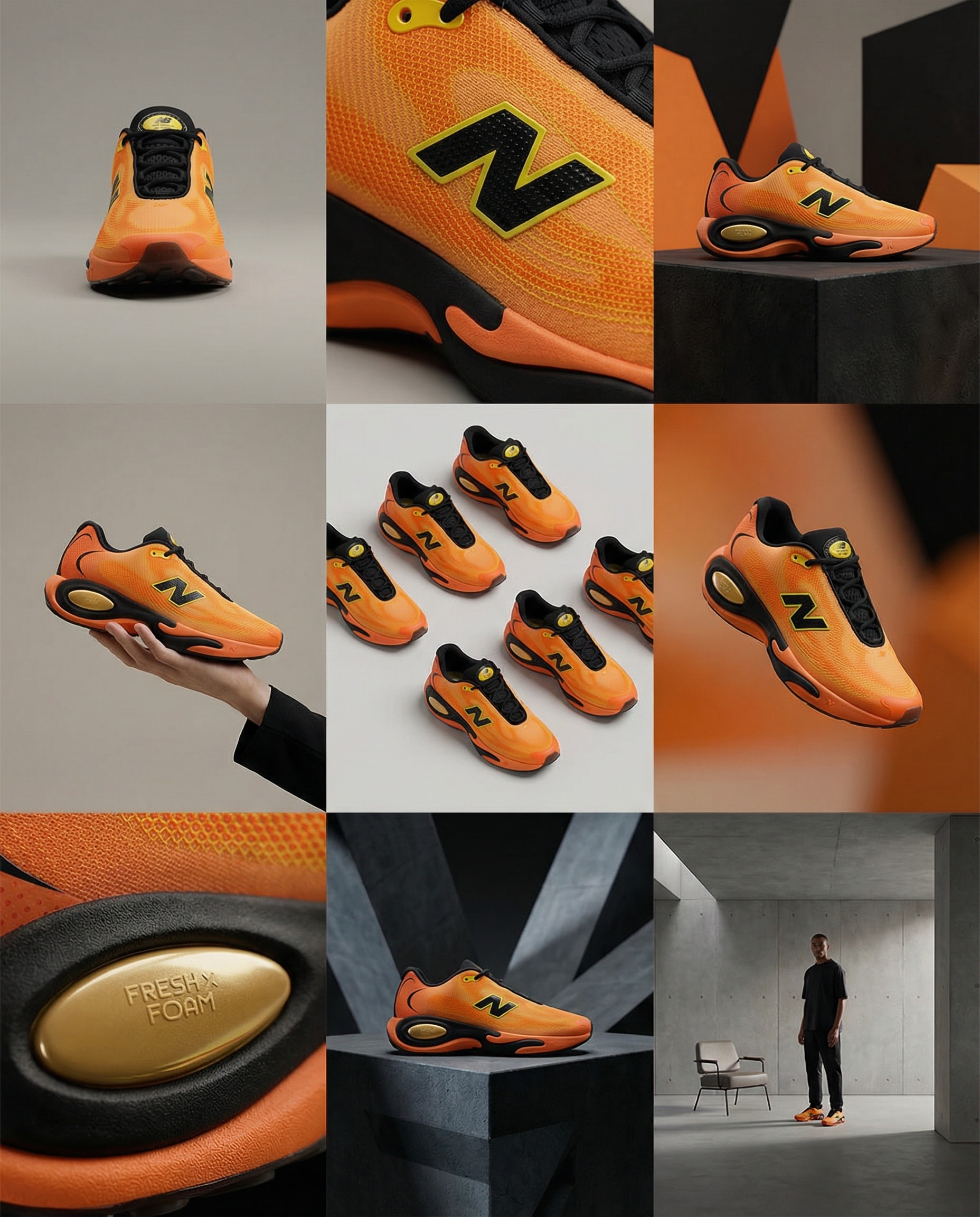
출처에 올라온 그대로
A clean 3×3 [ratio] storyboard grid with nine equal [ratio] sized panels on [4:5] ratio.

Use the reference image as the base product reference. Keep the same product, packaging design, branding, materials, colors, proportions and overall identity across all nine panels exactly as the reference. The product must remain clearly recognizable in every frame. The label, logo and proportions must stay exactly the same.

This storyboard is a high-end designer mockup presentation for a branding portfolio. The focus is on form, composition, materiality and visual rhythm rather than realism or lifestyle narrative. The overall look should feel curated, editorial and design-driven.

FRAME 1:
Front-facing hero shot of the product in a clean studio setup. Neutral background, balanced composition, calm and confident presentation of the product.

FRAME 2:
Close-up shot with the focus centered on the middle of the product. Focusing on surface texture, materials and print details.

FRAME 3:
Shows the reference product placed in an environment that naturally fits the brand and product category. Studio setting inspired by the product design elements and colours.

FRAME 4:
Product shown in use or interaction on a neutral studio background. Hands and interaction elements are minimal and restrained, the look matches the style of the package.

FRAME 5:
Isometric composition showing multiple products arranged in a precise geometric order from the top isometric angle. All products are placed at the same isometric top angle, evenly spaced, clean, structured and graphic.

FRAME 6:
Product levitating slightly tilted on a neutral background that matches the reference image color palette. Floating position is angled and intentional, the product is floating naturally in space.

FRAME 7:
is an extreme close-up focusing on a specific detail of the label, edge, texture or material behavior.

FRAME 8:
The product in an unexpected yet aesthetically strong setting that feels bold, editorial and visually striking.
Unexpected but highly stylized setting. Studio-based, and designer-driven. Bold composition that elevates the brand.

FRAME 9:
Wide composition showing the product in use, placed within a refined designer setup. Clean props, controlled styling, cohesive with the rest of the series.

CAMERA & STYLE:
Ultra high-quality studio imagery with a real camera look. Different camera angles and framings across frames. Controlled depth of field, precise lighting, accurate materials and reflections. Lighting logic, color palette, mood and visual language must remain consistent across all nine panels as one cohesive series.

OUTPUT:
A clean 3×3 grid with no borders, no text, no captions and no watermarks.
출처 · prompts.chat 공개 프롬프트 모음 · 작성 semih — CC0(저작권 포기)로 공개된 원문을 그대로 싣습니다. 한국어 제목 · 설명은 AI 번역입니다.
내용이 틀렸거나 권리 문제가 있나요?
빈칸만 채우면 바로 쓰는 프롬프트
칸에 적는 대로 아래 프롬프트에 들어갑니다. 비워 둔 칸은 표시된 그대로 남고, 적은 내용은 어디에도 저장하지 않습니다.
빈칸 1곳 가운데 0곳 채움
A clean 3×3 [ratio] storyboard grid with nine equal [ratio] sized panels on [4:5] ratio.

Use the reference image as the base product reference. Keep the same product, packaging design, branding, materials, colors, proportions and overall identity across all nine panels exactly as the reference. The product must remain clearly recognizable in every frame. The label, logo and proportions must stay exactly the same.

This storyboard is a high-end designer mockup presentation for a branding portfolio. The focus is on form, composition, materiality and visual rhythm rather than realism or lifestyle narrative. The overall look should feel curated, editorial and design-driven.

FRAME 1:
Front-facing hero shot of the product in a clean studio setup. Neutral background, balanced composition, calm and confident presentation of the product.

FRAME 2:
Close-up shot with the focus centered on the middle of the product. Focusing on surface texture, materials and print details.

FRAME 3:
Shows the reference product placed in an environment that naturally fits the brand and product category. Studio setting inspired by the product design elements and colours.

FRAME 4:
Product shown in use or interaction on a neutral studio background. Hands and interaction elements are minimal and restrained, the look matches the style of the package.

FRAME 5:
Isometric composition showing multiple products arranged in a precise geometric order from the top isometric angle. All products are placed at the same isometric top angle, evenly spaced, clean, structured and graphic.

FRAME 6:
Product levitating slightly tilted on a neutral background that matches the reference image color palette. Floating position is angled and intentional, the product is floating naturally in space.

FRAME 7:
is an extreme close-up focusing on a specific detail of the label, edge, texture or material behavior.

FRAME 8:
The product in an unexpected yet aesthetically strong setting that feels bold, editorial and visually striking.
Unexpected but highly stylized setting. Studio-based, and designer-driven. Bold composition that elevates the brand.

FRAME 9:
Wide composition showing the product in use, placed within a refined designer setup. Clean props, controlled styling, cohesive with the rest of the series.

CAMERA & STYLE:
Ultra high-quality studio imagery with a real camera look. Different camera angles and framings across frames. Controlled depth of field, precise lighting, accurate materials and reflections. Lighting logic, color palette, mood and visual language must remain consistent across all nine panels as one cohesive series.

OUTPUT:
A clean 3×3 grid with no borders, no text, no captions and no watermarks.
Nano Banana 프롬프트
더 보기 ›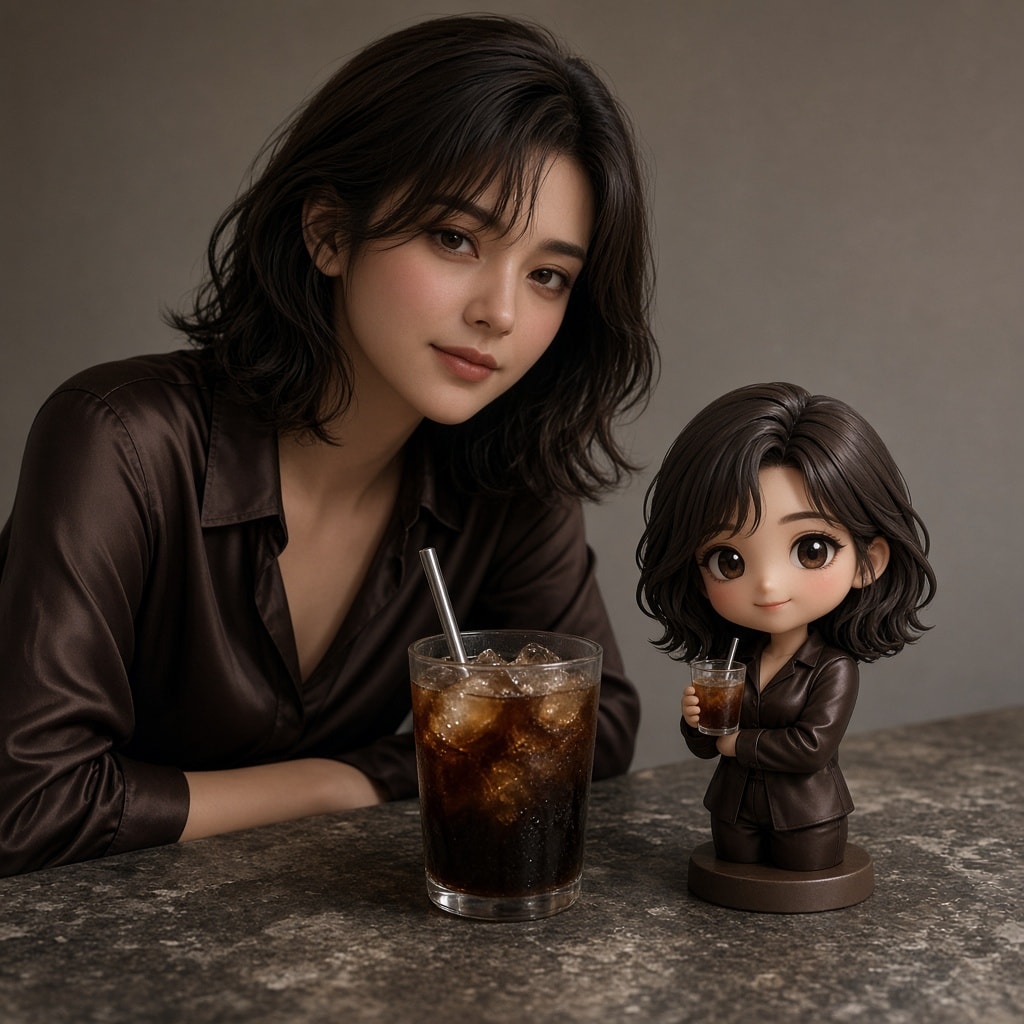 원작 결과이미지Nano Banana원작 결과
치비 피규어 합성 연출
실제 인물 모델과 동일한 3D 치비 피규어가 함께 있는 감성 화보 이미지를 만듭니다.
기법상세 묘사스타일 지정
 원작 결과이미지Nano Banana원작 결과
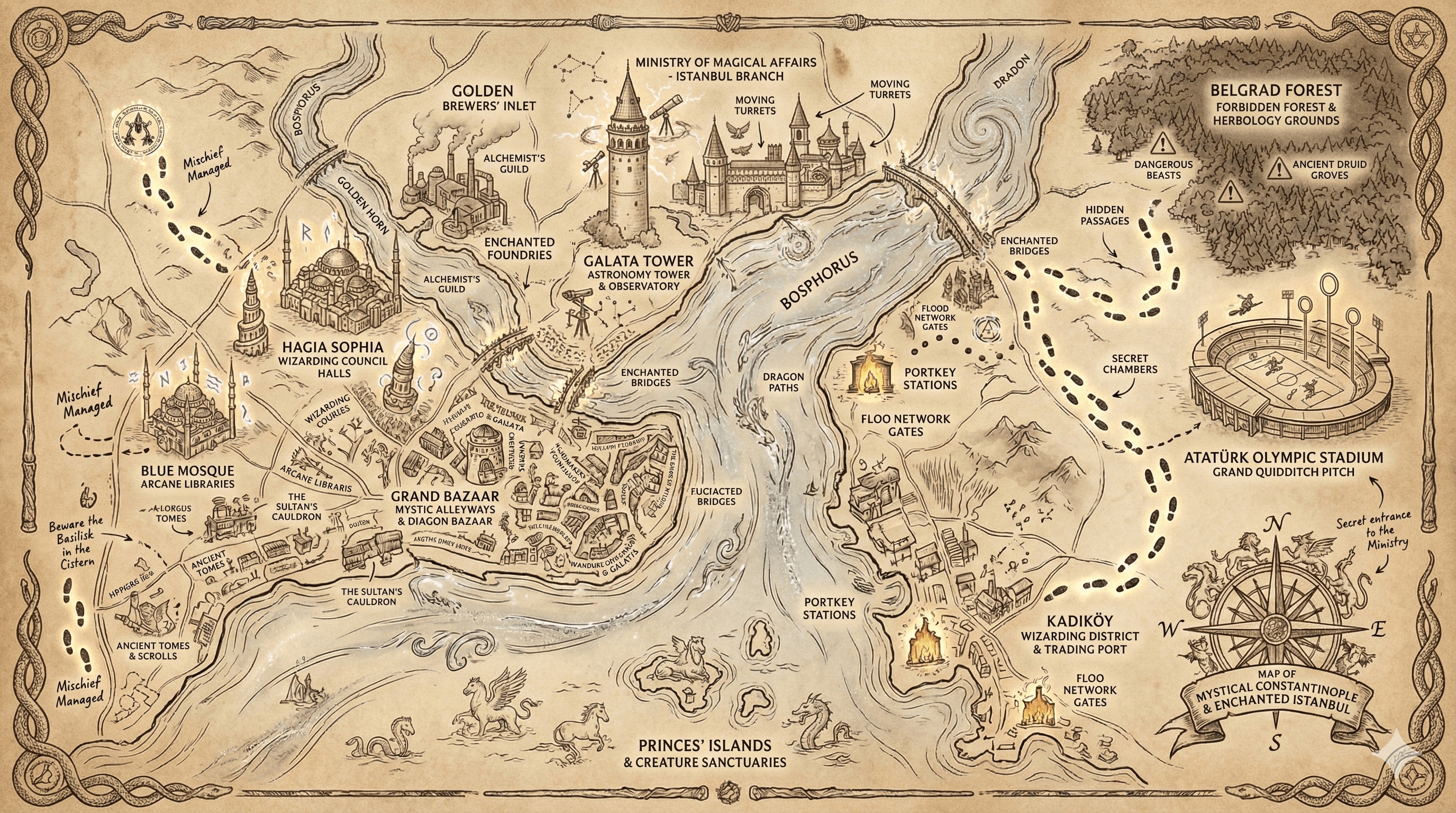
호그와트 지도 스타일 도시 연출
실제 도시의 도로와 지형을 양피지 위 비밀 마법 지도 스타일 일러스트로 표현할 때 사용합니다.
기법컨셉 재해석스타일 지정요소 나열
 원작 결과이미지Nano Banana원작 결과
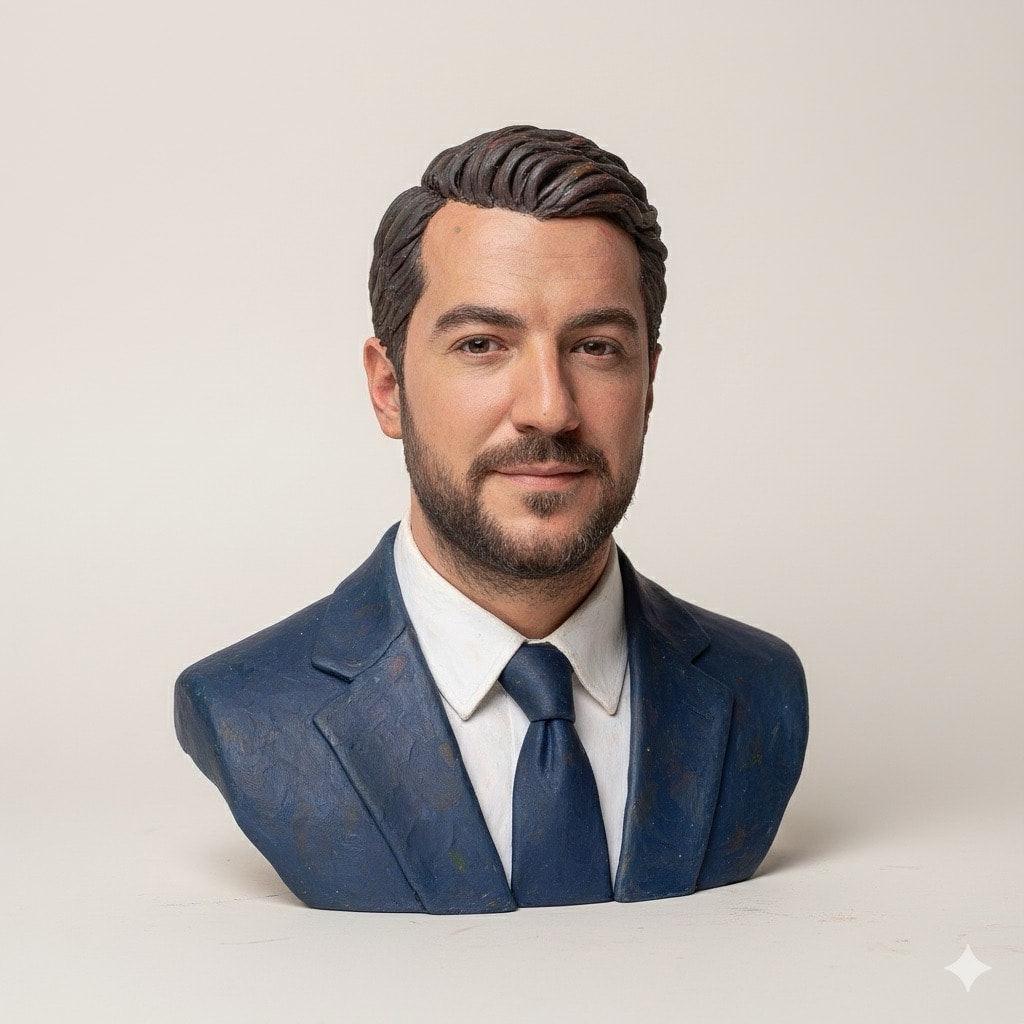
사진 기반 클레이 흉상 연출
인물 사진을 바탕으로 질감이 살아있는 초현실적 수제 클레이 흉상 조각을 만듭니다.
기법제약 조건 설정세부 묘사 지정
같은 분야 프롬프트이미지 · 영상
더 보기 ›- 원작 결과영상Seedance 2.5원작 결과
25초 연속 SF VFX 씬 연출
25초간 끊김 없이 4개 세계관을 포탈로 넘나드는 고품질 헐리우드 액션 VFX 숏을 연출할 때 사용합니다.
기법타임라인별 지시시각 연출 상세화카메라 앵글 지정
- 원작 결과영상원작 결과
숏폼 애니-실사 전환 영상
애니메이션 오프닝에서 실사 영상으로 자연스럽게 전환되는 몰입감 넘치는 숏폼 바이럴 영상을 연출할 때 활용합니다.
기법역할 부여상세 장면 지시스타일 및 음향 지정
- 텍스트 결과
4구간 시네마틱 씬 연출
32초 분량의 영상을 8초씩 4개 구간으로 나누어 긴장감 넘치는 시네마틱 액션 장면을 기획합니다.
기법역할 부여시간대별 세분화묘사 지시