

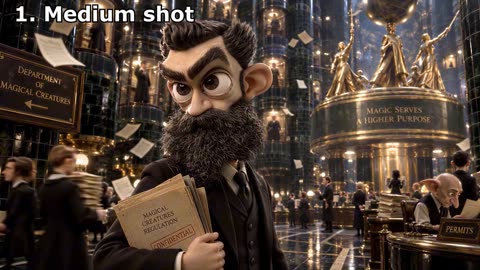
기밀 서류를 든 수염 난 정부 관료
Bearded ministry official with confidential folder, medium shot
Seedance 2.5Reference-to-video15초설정 샷 · 익스트림 와이드와이드 · 풀 샷미디엄 샷클로즈업익스트림 클로즈업 · 매크로로우 앵글하이 앵글버즈 아이 · 탑다운아이 레벨더치 앵글오버 더 숄더광각 렌즈오빗 · 아크하드 컷
결과
제작 · Framer_X · 영상과 장면의 저작권은 제작자에게 있으며, 원작 주소에서 불러옵니다. 원작 보기
비밀 폴더를 손에 든 턱수염 난 정부 관료의 미디엄 쇼트 장면
프롬프트 원문
Upload your source image to Seedance 2.5 (or 2.0)

Then generate a 15s video using this prompt:

"Create a rapid-fire cinematic camera-angle showcase of @ TAG IMAGE

TOTAL CAMERA SHOTS: 20

Keep the characters, environment, clothing, lighting, action, and overall scene completely consistent throughout the entire video. Do not change the location or introduce new elements.

Use 20 clearly distinct camera setups, including:

extreme wide shot, wide establishing shot, medium wide shot, medium shot, medium close-up, close-up, extreme close-up, low angle, extreme low angle, high angle, overhead shot, top-down shot, ground-level shot, eye-level shot, Dutch angle, profile shot, three-quarter angle, front-facing shot, rear angle, over-the-shoulder shot, reverse over-the-shoulder shot, side angle, foreground-framed shot, long-lens shot, wide-angle close shot, symmetrical composition, off-center composition, tracking angle, orbiting angle, and dramatic perspective angle.

IMPORTANT:

- Use HARD CUTS between every shot.

- Never hold one camera angle for longer than 1 second.

- Do not repeat any camera angle or composition.

- Do not create long continuous camera movements between angles.

- The action should remain continuous across all cuts.

- Only the CAMERA POSITION, CAMERA ANGLE, LENS, and FRAMING should change.

- The subject and scene must remain visually consistent."

Have fun!
모음 출처 · github.com